Any song becomes a chart your whole band can rehearse from.
Built for worship teams. Made for any band.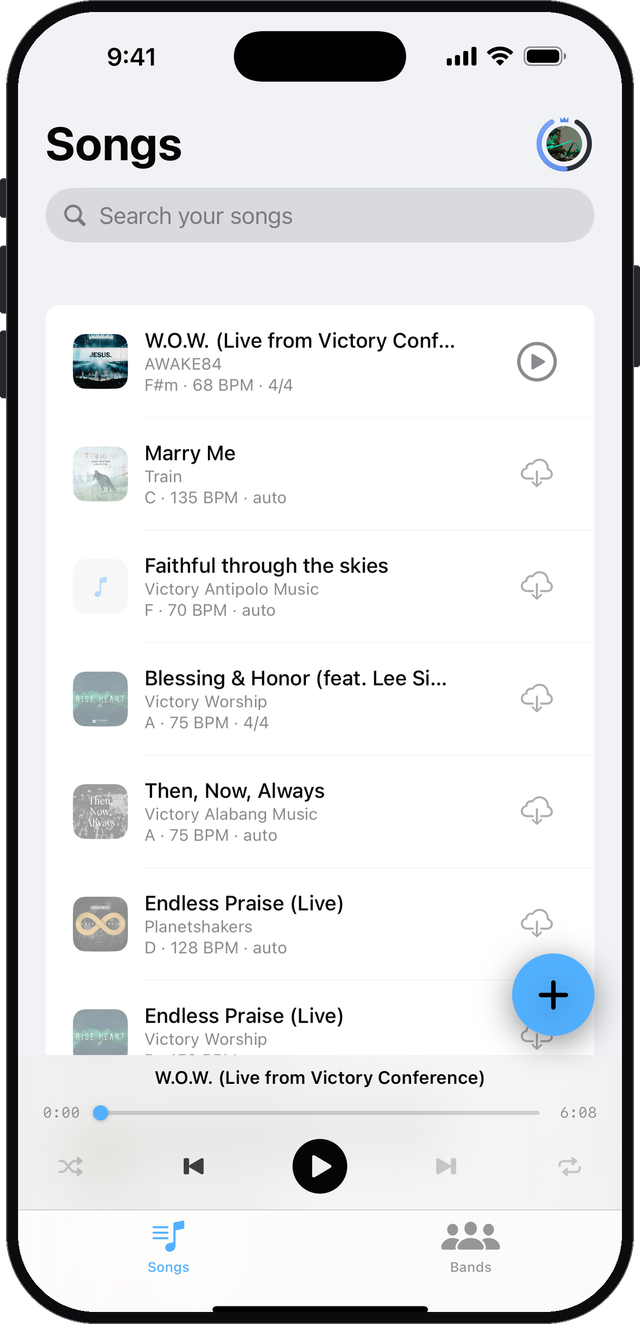
The song your team actually plays
From your files or a link. Sunday's live recording, an original nobody has charted, a song in any language. There is no catalog to be missing from, because Bandee studies what you give it.
Every song becomes a chart
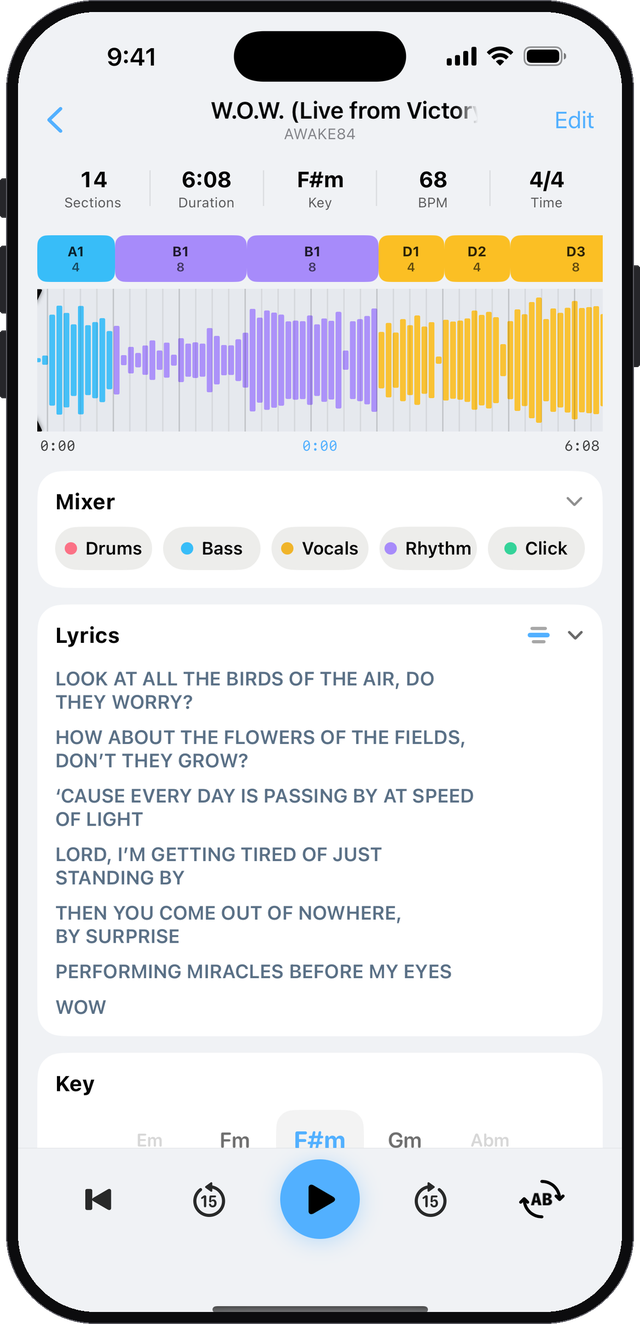
Named sections with their real bar counts, key, tempo and time signature, over a waveform you can see the shape of.
- "From the top of the bridge" means the same thing to everyone
- Lyrics move with the song, and any line is editable
- A first draft you correct, not a verdict: rename, split, combine
Hear past the singer to your own part
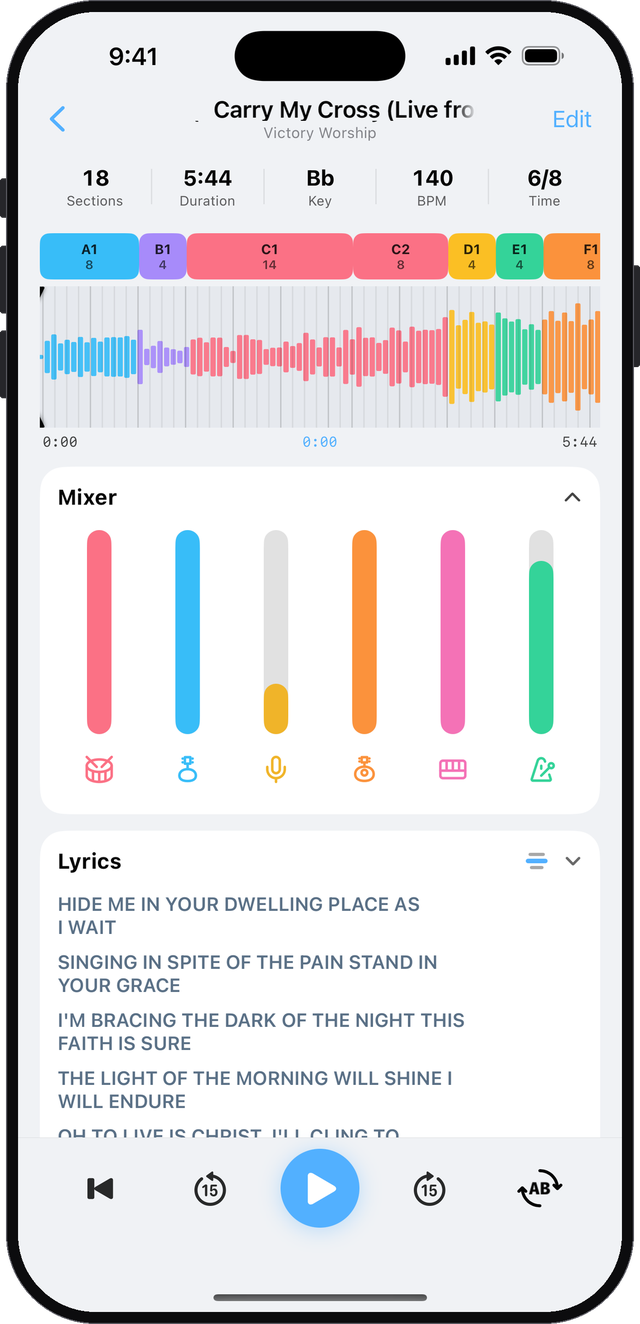
Every part on its own fader: drums, bass, vocals, guitar, keys, and a click that follows the song. Pull your own part down and play it, or solo the drums to learn the groove.
- Guitar and keys as their own parts
- Transpose to your singer's key, no chipmunks
- Slow it down while you learn it
- Loop the bridge until it is yours
Build the set once
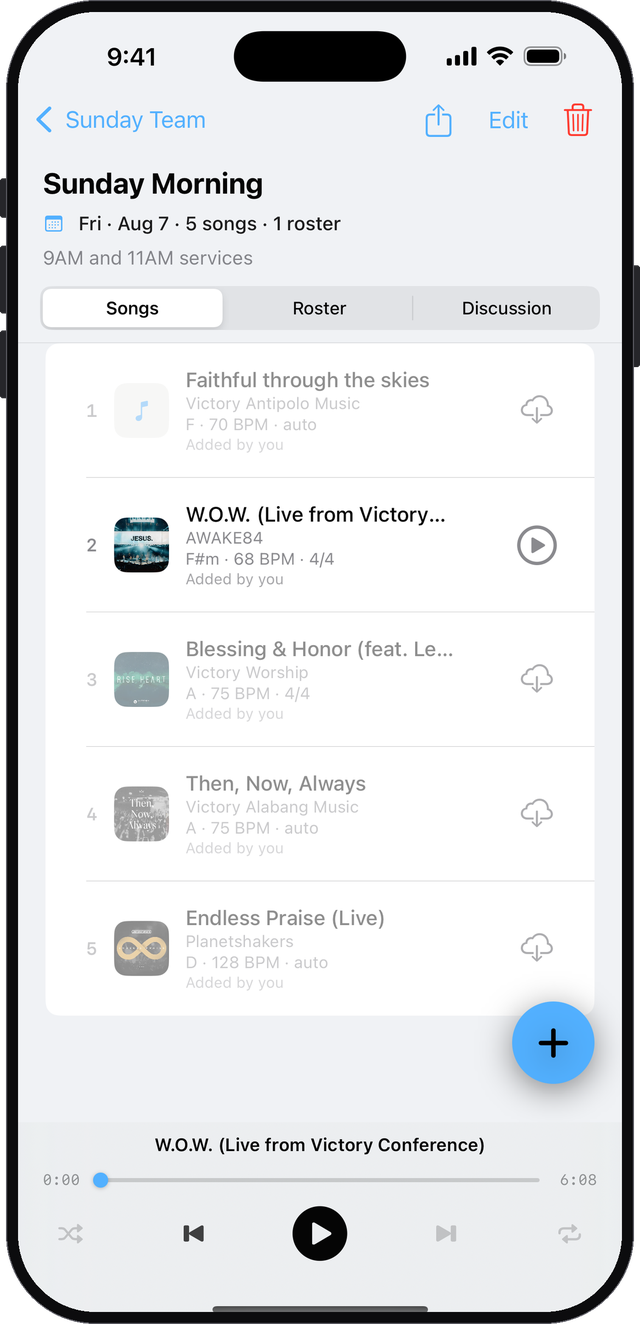
Every member opens the same setlist and gets the same songs, the same charts and the same edits, with the key and tempo right there in the list.
- One roster, so everyone knows who is playing
- Songs in service order, ready to practice
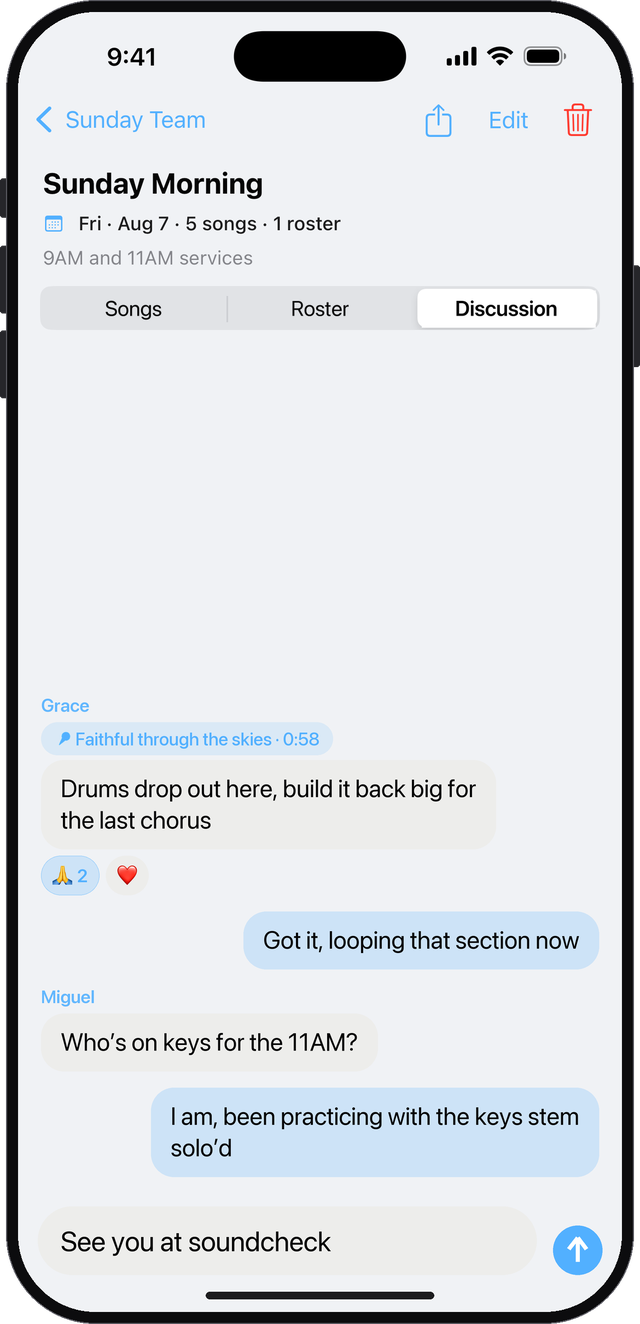
Talk it through, right on the set
Every setlist has its own discussion. Pin a note to the exact moment in a song, so "the build at 0:58" is something everyone can point at.
- Notes pinned to the song and the second you mean
- Reactions for a quick amen
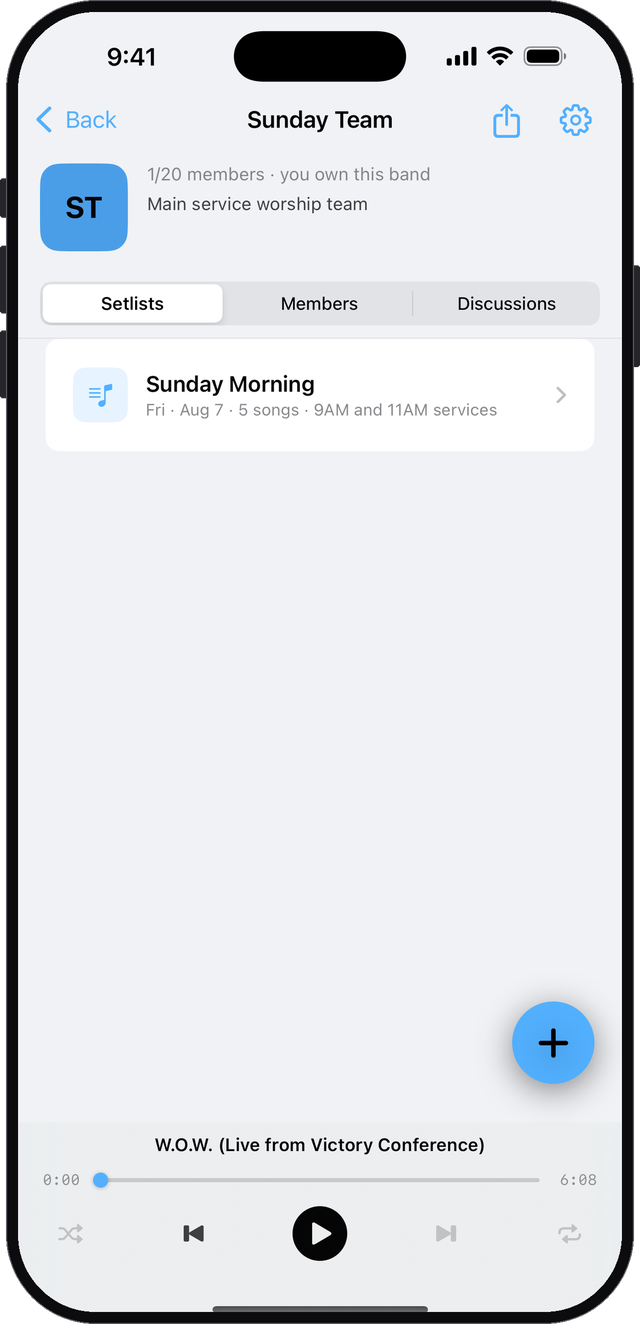
One chart. The whole band shapes it.
Invite the band with a link. They join free and open the same setlist, the same stems, the same chart. Anyone on the set can add a song from their library, fix a label or a chord, change the key, or reorder the set, and everyone sees it.
One chart. Everyone plays free.
Bring it to your band
Install it, drop in the song you are playing on Sunday, and send the setlist round. Everyone opens the same chart.
Frequently Asked Questions
What does Bandee do?
Give Bandee a song and it listens to the whole recording: it separates the vocals, drums, bass, and other instruments into parts you can mute or solo, maps the sections with exact bar counts, finds the key and tempo, and lines up the lyrics. Your whole band studies the same chart, so everyone has heard their part before rehearsal starts.
How long does charting take?
Usually under a minute. If Bandee has heard the recording before, a few seconds.
What do I get for free?
Every new account starts with three songs already in its library, fully charted, so you can try everything before you spend anything. Every song you chart then stays in your library for good, with nothing switched off: parts, chart, lyrics, transpose, loops and click. Charting a song of your own needs minutes, so you can buy a one-time top-up or subscribe to Plus. Joining bands, following setlists and playing everything your bandmates share is free with no limit. Plus adds 60 minutes a month, and guitar and keys as their own parts in the mixer.
Does everyone in my band need Plus?
No. In most bands one person, usually the leader, charts the songs, and everyone else uses the shared songs completely free: playing parts, reading charts, following setlists.
Do songs work offline?
Songs already on your phone play without internet, parts, chart, lyrics and all. You need a connection to add new songs and for band features like setlists and chat.
Can I use one account on iPhone and Android?
Yes, as long as you sign in the same way on both. Your account is tied to the sign-in you used first: Google, Apple or email. Signing in a different way creates a new, empty account. Google works on both iPhone and Android, so one Gmail address everywhere is the simplest choice. Sign in with Apple exists only on iPhone and iPad. If you use it, choose Share My Email when Apple asks; then Continue with Google on Android with that same address opens the same account. If you chose Hide My Email, Android cannot reach that account.
Is my audio private?
Yes. Songs you add are private to your account and the bands you choose to share them with. The original file you upload is deleted as soon as Bandee finishes listening. The details are in the privacy policy.